
SharePoint has become an accidental QMS for many life sciences organizations.
And look, we get it. It’s “free” (or at least already included in your Microsoft 365 subscription), it lets you build folder structures, and you can organize quality documents into whatever taxonomy or hierarchy makes sense to you. On the surface, it feels like a quick win.
For many teams, especially SMEs under budget pressure, a SharePoint QMS can seem like the most reasonable option. Why invest in a dedicated system when you can make do with something you already have?
But at some point, cracks start to show. And that’s because you’re trying to run a QMS in a system that was never designed to be one.
So if you’re here, it’s probably for one of two reasons:
- You’ve outgrown your SharePoint QMS (and that's not a bad thing!)
- You’re considering using SharePoint as your QMS
Either way, you’re asking the right questions.
In this article, we’ll break down what SharePoint really is, why so many companies end up using it as a QMS, what you need to consider from a quality and regulatory perspective, and what a possible alternative actually looks like.
Key takeaways
Can SharePoint be used as a QMS?
Technically speaking, you can use SharePoint as a QMS. The better question is: should you?
Across industries, including the life sciences, SharePoint has become the default place to “put things”—including quality documentation.
What starts as a convenient place to store documents quickly turns into something much bigger: processes, approvals, training records… all layered on top of a tool that was created for a different purpose.
It’s familiar, already available, and flexible enough to shape around your needs. So it’s easy to see why many growing companies create their QMS in SharePoint.
So what is SharePoint actually meant to be?
At its core, SharePoint is a collaboration platform. Microsoft positions it as a tool to help teams store, organize, share, and access information, while enabling communication and coordination across the business.
You can create document libraries, define permissions, manage versions, and build basic workflows. That’s exactly why so many life sciences companies end up turning it into a SharePoint QMS or experimenting with a QMS in a SharePoint setup.
But here’s where things get problematic.
Just because SharePoint can store quality documents and mimic some level of structure doesn’t mean it functions as a true document management system for quality management, let alone a fully compliant QMS.
The advantages of a cloud based eQMS over paper based QMS systems
.

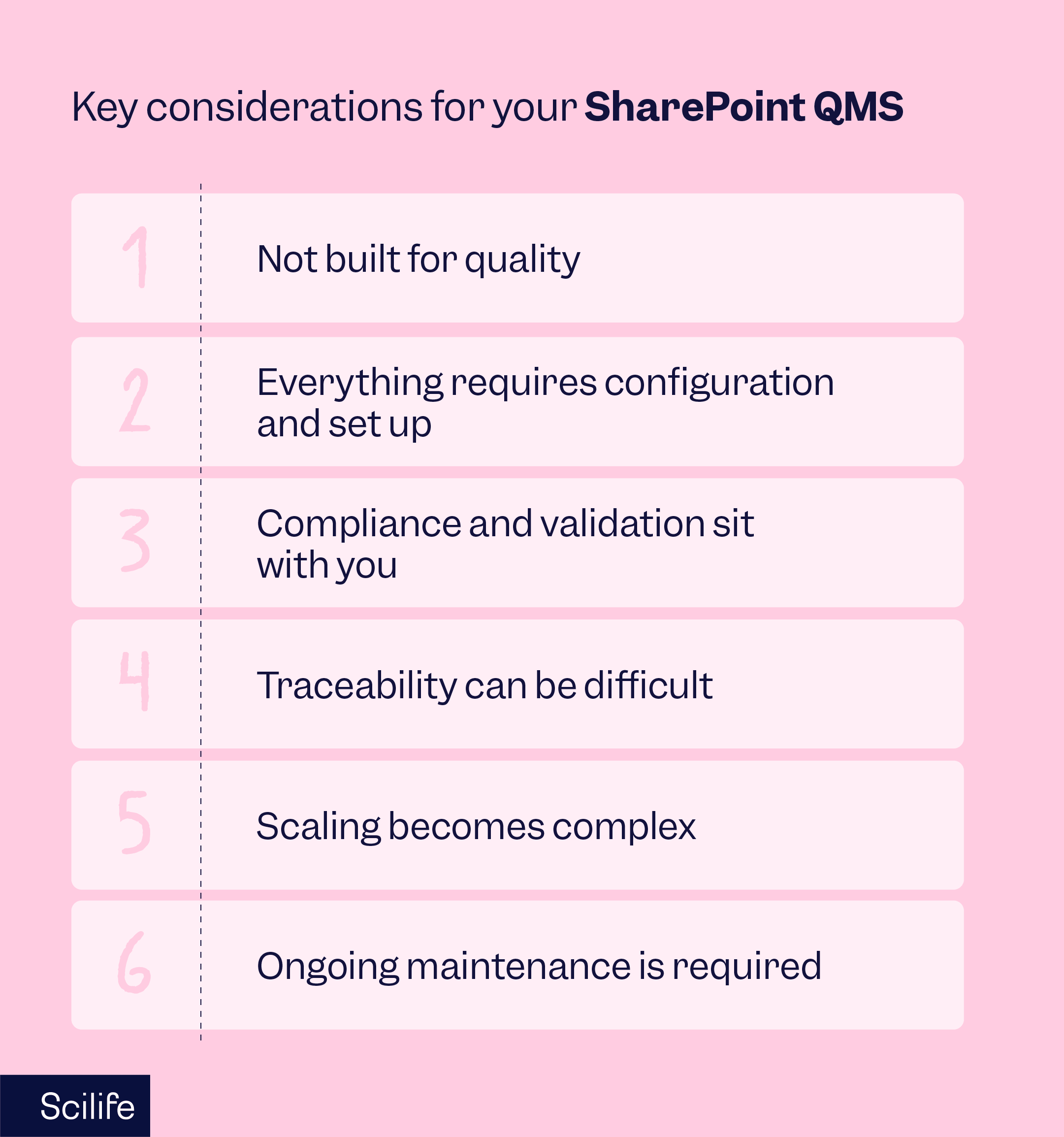
Key considerations for your QMS in SharePoint
Without a doubt, the biggest reason life sciences companies end up with a SharePoint QMS is cost.
For SMEs just getting started on tight budgets that already have access to Microsoft 365, using SharePoint feels like a smart, resourceful decision.
But once you start looking at what it actually takes to run a compliant quality system, that initial cost advantage starts to fade.
And that’s because when you factor in the effort to configure, maintain, validate, and manually bridge the gaps for quality and regulatory requirements, a SharePoint QMS doesn’t stay “cheap” for long.
Allow us to explain.
What are the limitations of a SharePoint QMS?
At first glance, a SharePoint QMS can look like it’s doing the job. Documents are stored, folders are structured, and permissions are in place.
But once you start running real quality processes, the gaps become harder to ignore.
If you work in quality, then you know that a QMS isn’t just about storing documents, but rather about managing the entire lifecycle around them. And that’s where SharePoint QMS falls short.
Here are some of the key things you’ll struggle to manage in SharePoint:
SharePoint Document Control chaos
Document control is the backbone of any quality management system in life sciences.
You need to be able to clearly identify, approve, publish, update, and retire documents, while keeping everything traceable and audit-ready.
With a SharePoint QMS, you can build workflows to support this. But it takes time, configuration, and ongoing effort to make it work in a way that actually holds up under regulatory scrutiny.
And even then, SharePoint Document Control is rarely seamless.
A situation you’ll recognize:
A SOP gets updated, shared, and used across teams, but someone is still working from an older version saved locally or linked from somewhere else.
Now you’ve got two versions in circulation. One approved. One outdated. Both are being used.
And suddenly, you’re not just managing documents, you’re chasing down which SOP version is the “right” one.
That’s where document control stops being a process… and starts becoming a risk.
"The biggest improvement Scilife has enabled within the company is saving time. Now we get a lot more work done. The time that we are saving with the change requests is really enormous."
Tinne Bockx, QA Manager at Inovet
No built-in e-signatures
Standards like FDA 21 CFR Part 11 and EU Annex 11 expect signatures to be secure, traceable, and clearly linked to a specific action (approval, review, responsibility).
SharePoint doesn’t offer built-in e-signatures that meet these requirements.
So if you’re running a SharePoint QMS, you’ll need to rely on third-party tools and integrations to fill that gap.
A situation you’ll recognize:
A document needs formal approval. Instead of a built-in, compliant signature workflow, you’re managing approvals through a mix of emails, comments, or an external tool.
Now you need to prove:
-
who signed
-
when they signed
-
what they were signing for
-
and that their identity was verified
But that information is spread across systems. So instead of a single, clear audit trail, you’re stitching together evidence from different places, which only adds more admin work for your quality team and room for human error.
SharePoint Version control (and why it becomes a problem fast)
Can SharePoint handle versioning? Yes.
It can automatically create versions, label them, and even distinguish between draft and published versions. So on the surface, version control in a SharePoint QMS looks like it’s doing what you need.
But in a regulated environment, version control needs to go beyond simply storing versions and make them clear, controlled, and easy to trust.
The problem is that in SharePoint, there’s no clear distinction between draft and approved documents unless you build it yourself. No built-in way to easily compare what changed between versions. And no simple way to ensure people are only ever working from the latest approved version without putting strict processes in place.
A situation you’ll recognize:
Someone opens a document and asks: “Is this the latest approved version?”
You check SharePoint. There are multiple versions, maybe some labeled, maybe not so clearly.
You can figure it out, but it takes a bit of digging.
In a compliant QMS, there shouldn’t be any doubt. The system should make it obvious what’s current, what’s draft, and what changed, without you having to piece it together.
“Scilife has a lot of automatic triggers that save time, like yearly reviews. Now they just appear on the dashboard. It also feels a lot safer because it has an audit trail.”
Suzanne Buijs, Head of QA at RTM
SharePoint validation is on you
Any system used in a regulated environment needs to be validated. That means proving it does what it’s supposed to do and that it’s fit for use in your specific context.
With a life sciences eQMS like Scilife, that validation work is largely supported by the vendor.
With a SharePoint QMS, it’s a different story because it isn’t designed for GxP use; the responsibility sits with you.
That means you’re the one who has to validate the system. Revalidate it when something changes. And validate any add-ons you bring in, such as e-signature tools.
A situation you’ll recognize:
You’ve finally configured your SharePoint setup the way you want it.
Now someone asks: “Has this system been validated?”
And suddenly, you have to document absolutely everything: requirements, testing, risk assessments, change control…
And then doing it all again every time something is updated.
So what started as a “we’ll just use what we already have” decision turns into a significant internal project, or a reason to bring in expensive external consultants. A SharePoint QMS can thus require significant effort, documentation, and ongoing maintenance.
Quality workflows are far from seamless
SharePoint is flexible, and you can build workflows in it. The problem is that if you choose to use it as your QMS, you have to prepare to build everything yourself from scratch.
It doesn’t come with quality-specific workflows out of the box. No templates for pharma or medical devices. No ready-made processes for things like training, CAPAs, or change control that come with a life sciences QMS.
Things like:
-
setting up periodic SOP reviews
-
tracking effectiveness checks after CAPA closure
-
coordinating cross-functional approvals and reminders
-
tracking document review cycles and overdue reviews
-
assigning and tracking training
-
managing supplier quality documentation and updates
All of it needs to be configured, connected, and maintained.
A situation you’ll recognize:
A new SOP is approved.
Now you need to make sure the right people are trained on it.
In a purpose-built QMS, that’s automatic; training gets assigned, tracked, and recorded. On the other hand, in a SharePoint QMS, you’re likely managing that through a mix of lists, emails, or even spreadsheets.
Someone forgets to complete the training. Someone else isn’t assigned training at all.
And when an audit comes, you’re pulling data from different places to prove who was trained and when.
The same goes for CAPAs and deviations.
Instead of one connected workflow, they often live in separate tools, or worse, in Excel files, making it harder to track progress, link actions, and prove closure.
So while you can build quality workflows in SharePoint, they’re rarely seamless. And the more you grow, the more those gaps start to slow you down.
Do you have the time, expertise, and resources to build and maintain a compliant QMS in SharePoint?
That’s really the question it comes down to. Building a SharePoint QMS takes time and money.
You’re effectively building a quality system from scratch on top of something that wasn’t designed for it. It’s not even a document management system for quality management.
That means configuring workflows, structuring access, creating audit trails, validating the system, and making sure everything holds up in a regulated environment.
And then maintaining all of it as your company grows.
For some teams, that might be doable. But it comes with trade-offs.
Companies using SharePoint for quality management often end up relying on:
-
additional tools for reporting, permissions, or e-signatures
-
extra licensing to cover compliance gaps
-
external consultants or developers to make the system scalable and audit-ready
And that’s where the idea of “free” starts to fall apart.
Because the real investment isn’t the software, it’s the time, expertise, and ongoing effort required to make it work as a compliant QMS.
So before committing to a SharePoint QMS, it’s worth asking: Do you have the internal resources and the patience to build and maintain it long-term?
If not, QMS software is an option you could consider.
When SharePoint might be enough
SharePoint can work, at least for a while, if your setup is still relatively simple.
For example, if:
-
you’re not operating in a highly regulated environment
-
your document volume is low and easy to control
-
CAPAs, deviations, and audits are still limited in number
-
you don’t expect rapid growth or increasing complexity anytime soon
-
you have internal IT support to build and maintain workflows
-
and you’re aware you’re trading long-term robustness for short-term convenience
In those cases, a SharePoint QMS might get you by for now.

When it’s time to move beyond SharePoint
But there’s usually a tipping point. And it tends to show up when quality becomes harder to manage, not because of your team, but because of the system you’re using.
That point often looks like this:
- you’re operating in a regulated industry (like pharma, biotech, or medical devices)
- audits and certifications are becoming a regular part of your reality
- your team, documents, or sites are growing
- managing documents, CAPAs, and training is starting to feel fragmented
- your quality team is spending more time chasing information than improving processes
- you’re preparing for new regulatory requirements or scaling your operations
If SharePoint isn’t your QMS… what is?
At some point, most teams reach the same conclusion:
They’re not really running a QMS in SharePoint; they’re managing workarounds.
Because while SharePoint can be shaped into something that resembles a QMS, it was never built to handle the full weight of your quality processes, your data, and your compliance requirements.
That’s where purpose-built QMS software like Scilife comes in. And it’s not just “better SharePoint.” It works in a completely different way.
Instead of stitching things together, everything lives in one connected system. Your documents, CAPAs, training records, audits, and changes are all linked together. So when something changes, the system understands the impact.
Update a document, and it can trigger training updates. Link a deviation, and it connects back to the right processes and records. No chasing, no guessing, no piecing things together.
Electronic signatures, audit trails, data integrity… all part of how the system works from the start, aligned with requirements like FDA 21 CFR Part 11 or EU Annex 11.
So when an auditor asks a question, you’re not digging through folders, you’re pulling up answers.
And then there’s visibility. Instead of exporting data into Excel or building reports manually, you can actually see what’s going on.
Trends, bottlenecks, and recurring issues surface on their own.
Yes, the upfront investment is higher.
But you’re not just paying for software, you’re choosing a system that’s designed to support your quality processes as they grow, not hold them together.
Because in the end, that’s the real choice: Do you want to keep building around your system… or start using one that’s already built for you?
If you’re curious what this looks like in practice, you can explore how Scilife’s QMS works here.