
We’re wrapping up Q1 with a strong set of updates, bringing more speed, structure, and traceability across your quality processes.
This release combines a major step forward in Design and Development with a targeted improvement in Change Control, both focused on helping your teams move faster while staying fully in control.
From a new way to bring design controls into Scilife in minutes, to clearer visibility across related Change Requests, these updates are all about making complex workflows simpler, more connected, and easier to manage at scale.
Here’s what’s new.
What’s new in Design and Development
Import your design controls from Excel in minutes
For many teams, adopting a Design and Development system doesn’t mean starting from scratch, but instead it means migrating what already exists.
Until now, design controls managed in spreadsheets had to be recreated manually in Scilife, increasing the risk of errors and making it difficult to preserve critical relationships between user needs, design inputs, outputs, verifications, validations, and runs.
With this release, that changes.
You can now import a complete set of design controls directly from Excel when creating a new D&D project fully structured, fully linked, and audit-ready from the start.
A guided import, built for accuracy and control
The new Import Wizard walks you through the entire process, helping you bring your data into Scilife safely and efficiently.
You start from a standardized Excel template, upload your file, and let the system guide you through validation and mapping before anything is created.
This means you can catch issues early, fix them quickly, and move forward with confidence.
From spreadsheet to structured, traceable data
Instead of spending hours recreating design data, you can now move from Excel to a fully configured D&D project in a single flow.
All relationships are preserved. And everything is ready for review, collaboration, and audit from day one.
Key capabilities
Start from a standard Excel template: Download the official Scilife Excel template directly from the project creation screen and structure your data across all supported design control types.
Validate your data before import: The system checks your file for structure, required fields, and formatting, so you don’t end up importing incomplete or inconsistent data.
Automatically map and verify relationships: Columns are mapped to D&D fields, and relationships between items are validated to ensure everything connects correctly, from user needs all the way to runs.
Import everything in one go: Your project, design controls, and categories are created together in a single, consistent operation. No manual setup required.
Built-in safety with atomic import: Imports are all-or-nothing. If something goes wrong, no partial data is created, so your project stays clean and reliable.
Full traceability and audit trail: Every imported item is clearly recorded, with audit trail entries showing exactly what was created via bulk import.
How it works
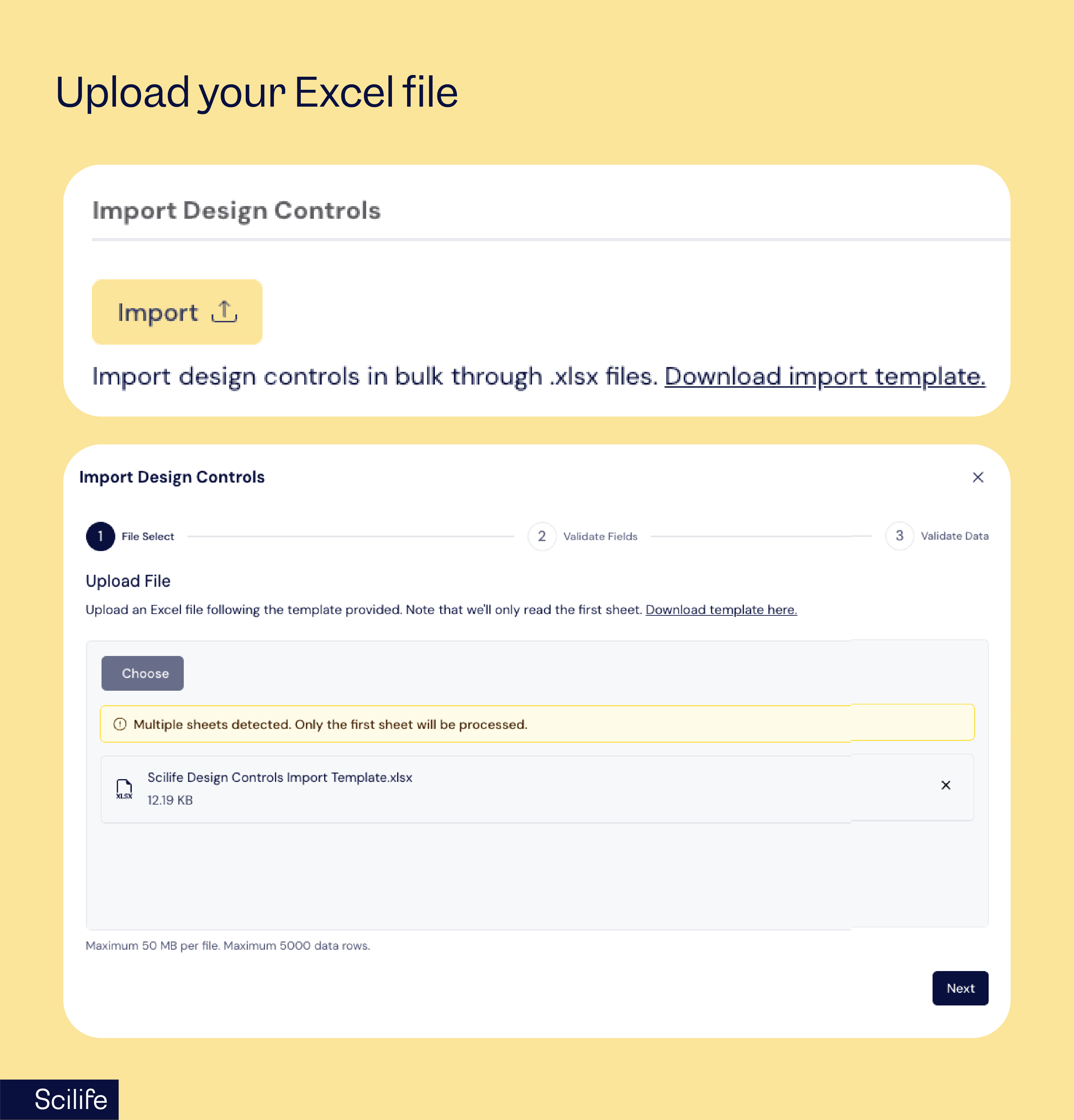
1. Upload your Excel file: Use the template or your own file with required fields. The system instantly checks format, size, and key columns.
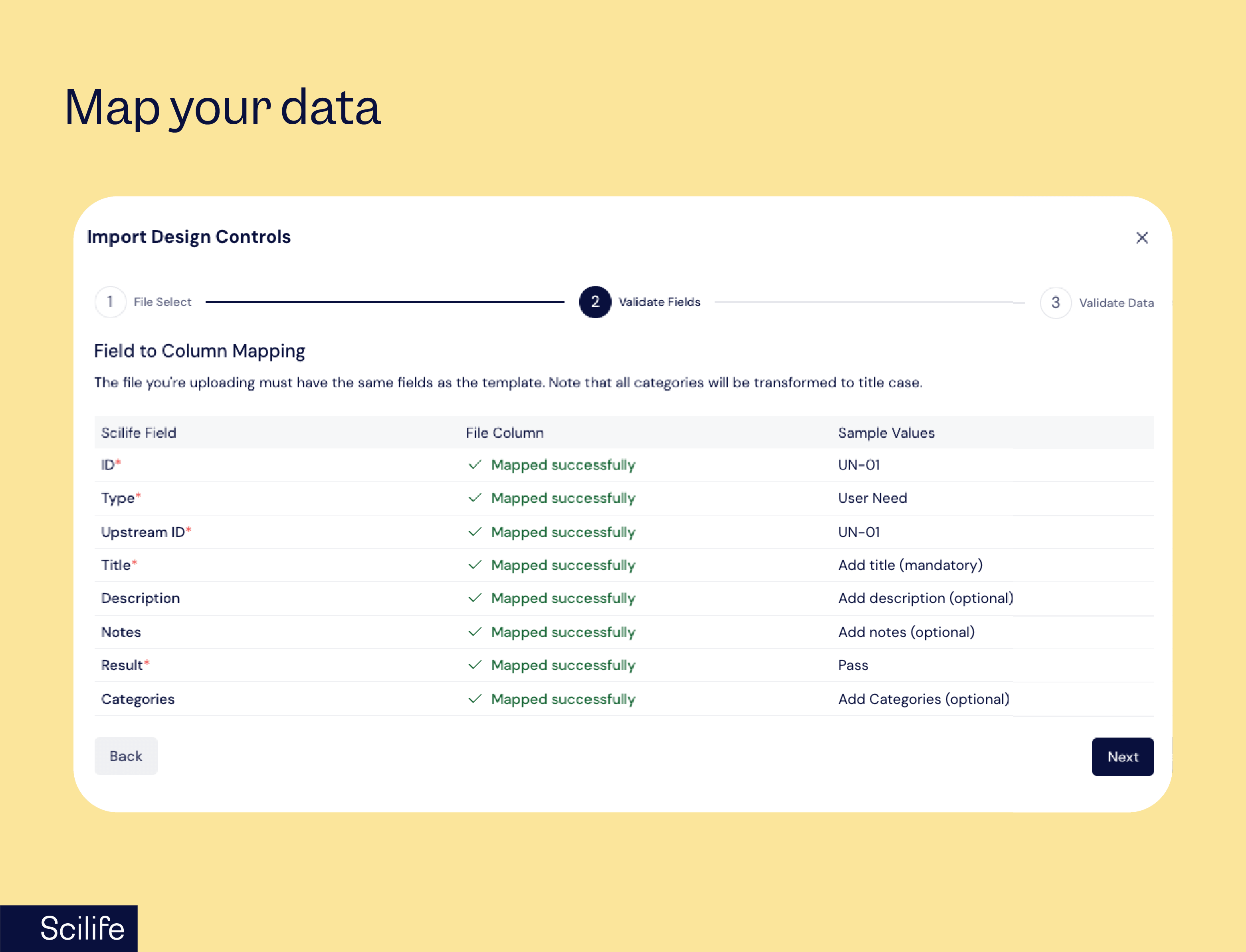
2. Map your data: The Import Wizard auto-maps core fields (ID, Title, Type) and ignores extra columns.
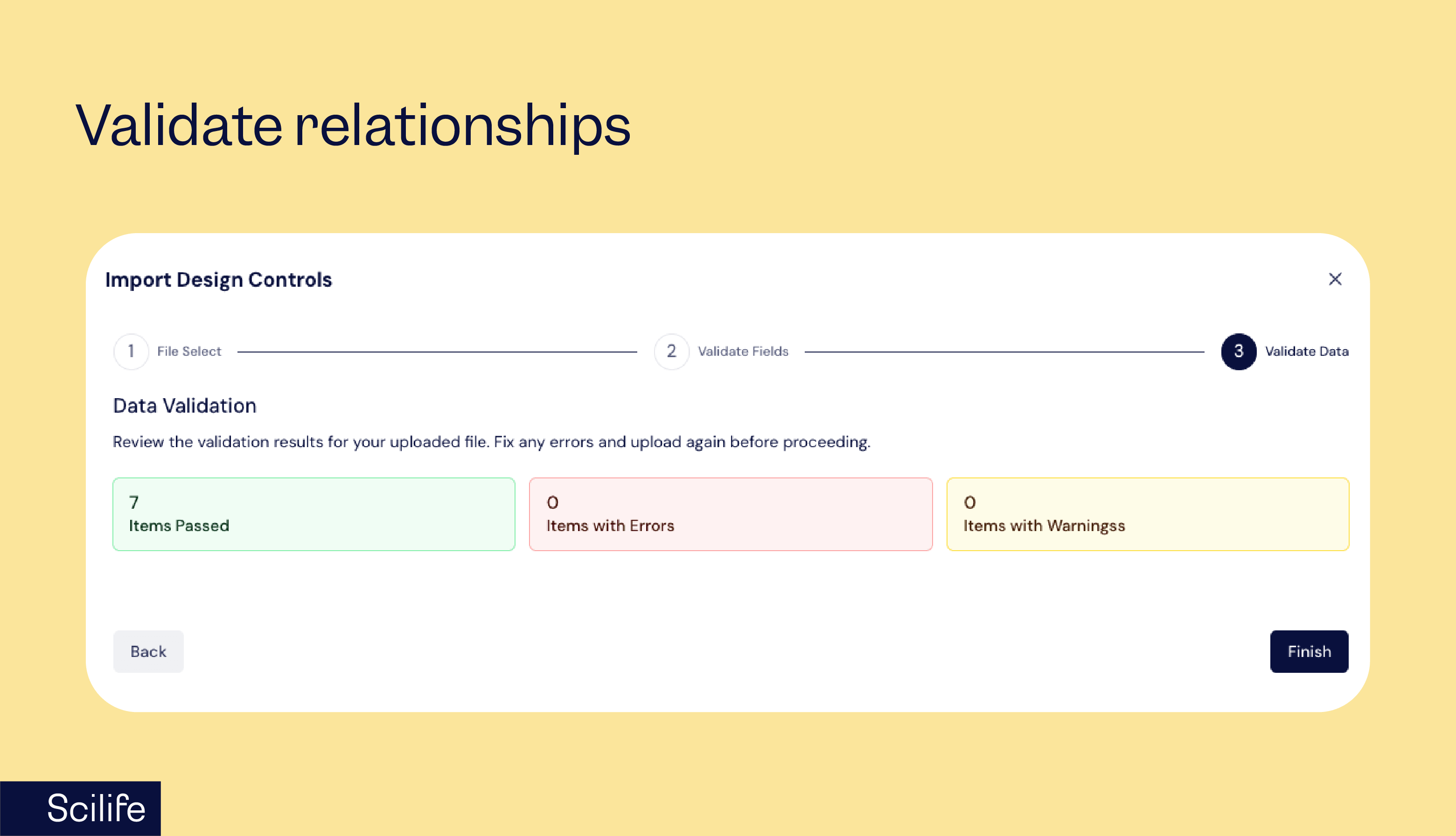
3. Validate relationships: Scilife checks IDs, links, and relationships, giving clear errors and non-blocking warnings.
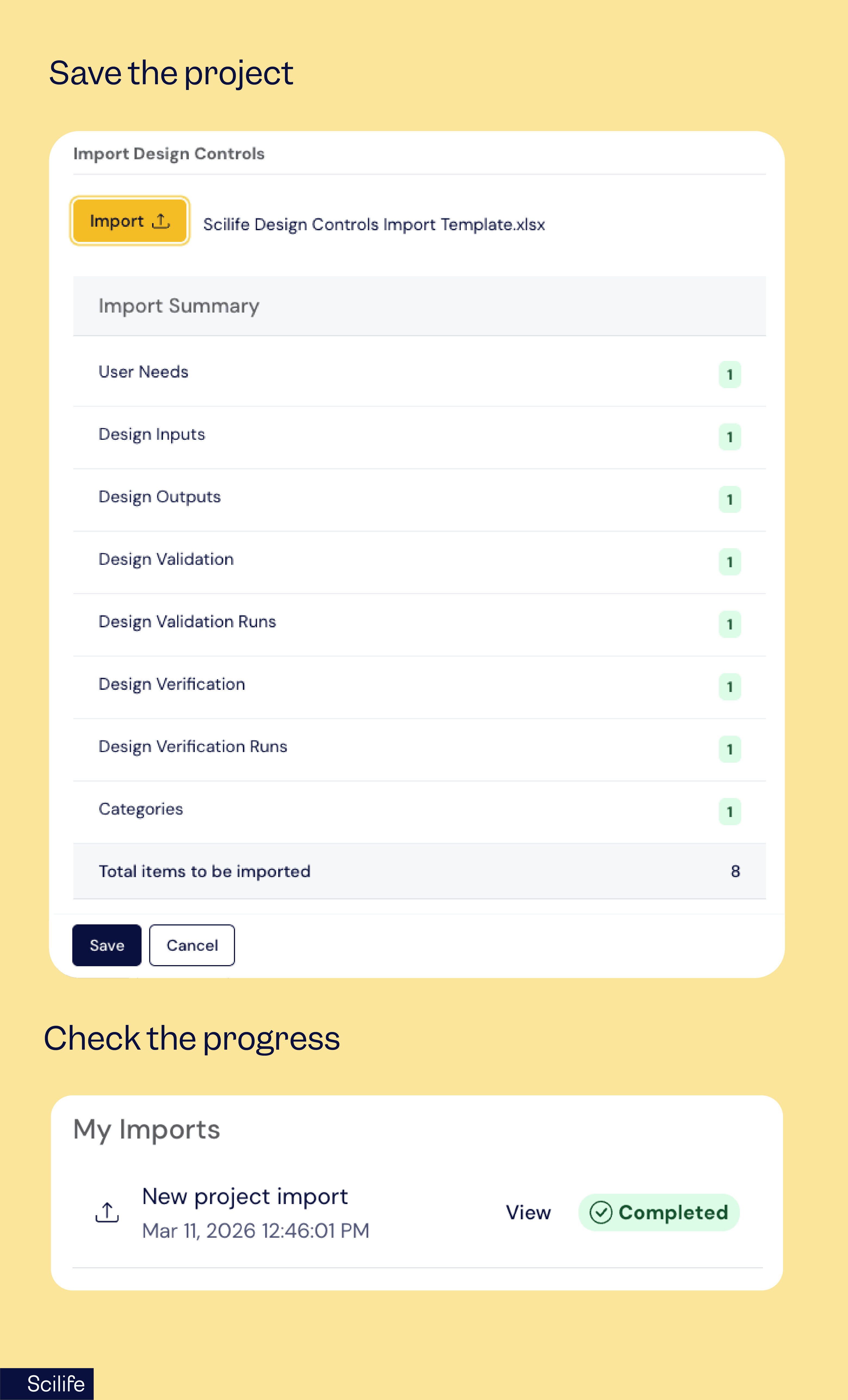
4 Create your project: After validation, everything is imported in one step, fully structured and ready, with progress visible in “My Imports.”
Why you’ll love this update
What’s new in Change Control
Link related change requests for stronger traceability
Change processes are rarely isolated. In practice, multiple Change Requests (CRs) often relate to the same initiative, risk, or dependency. But until now, those relationships were hard to track.
With this update, you can now link Change Requests to each other in a clear, structured way, bringing much-needed visibility and traceability to your change management process.
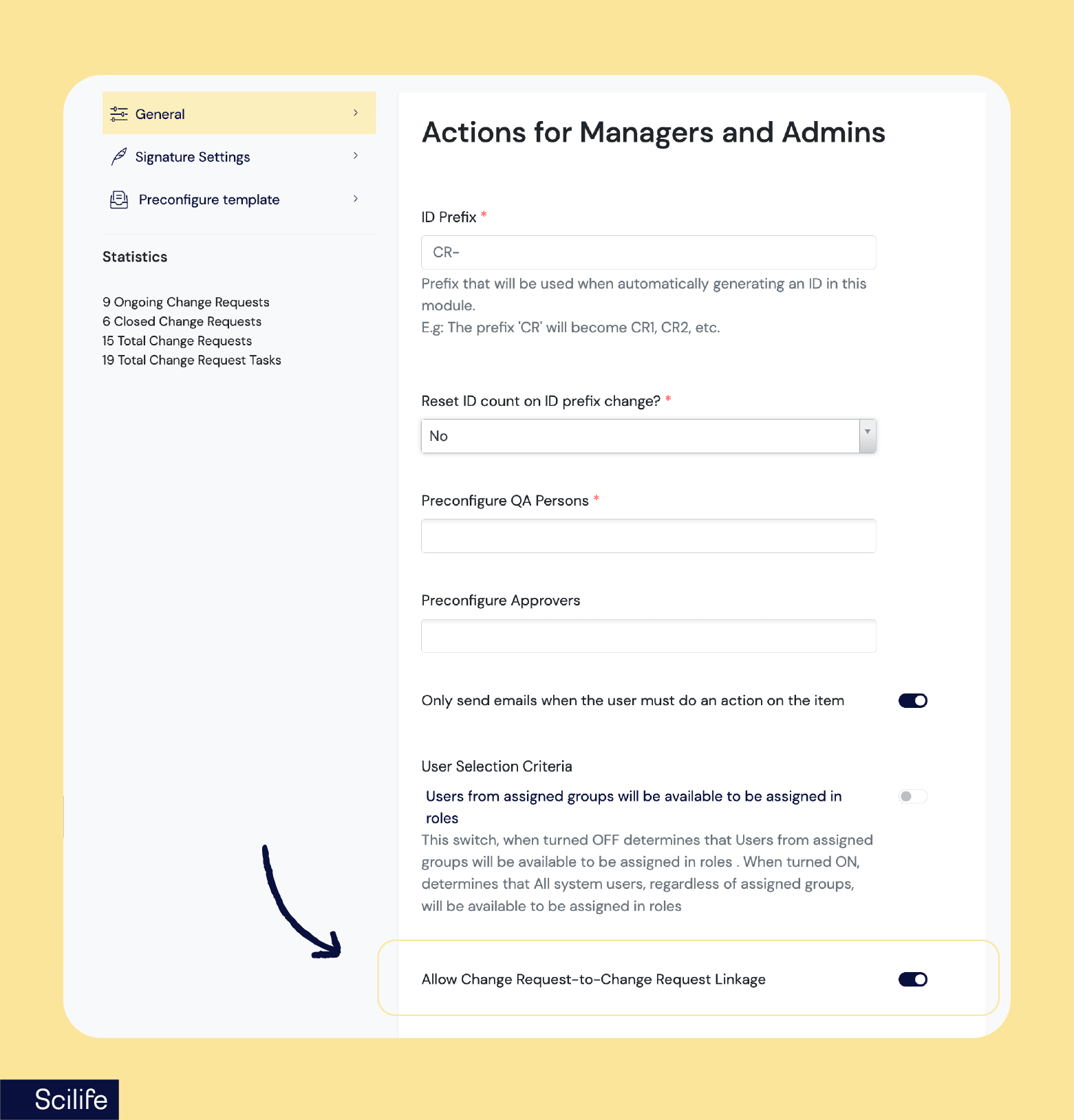
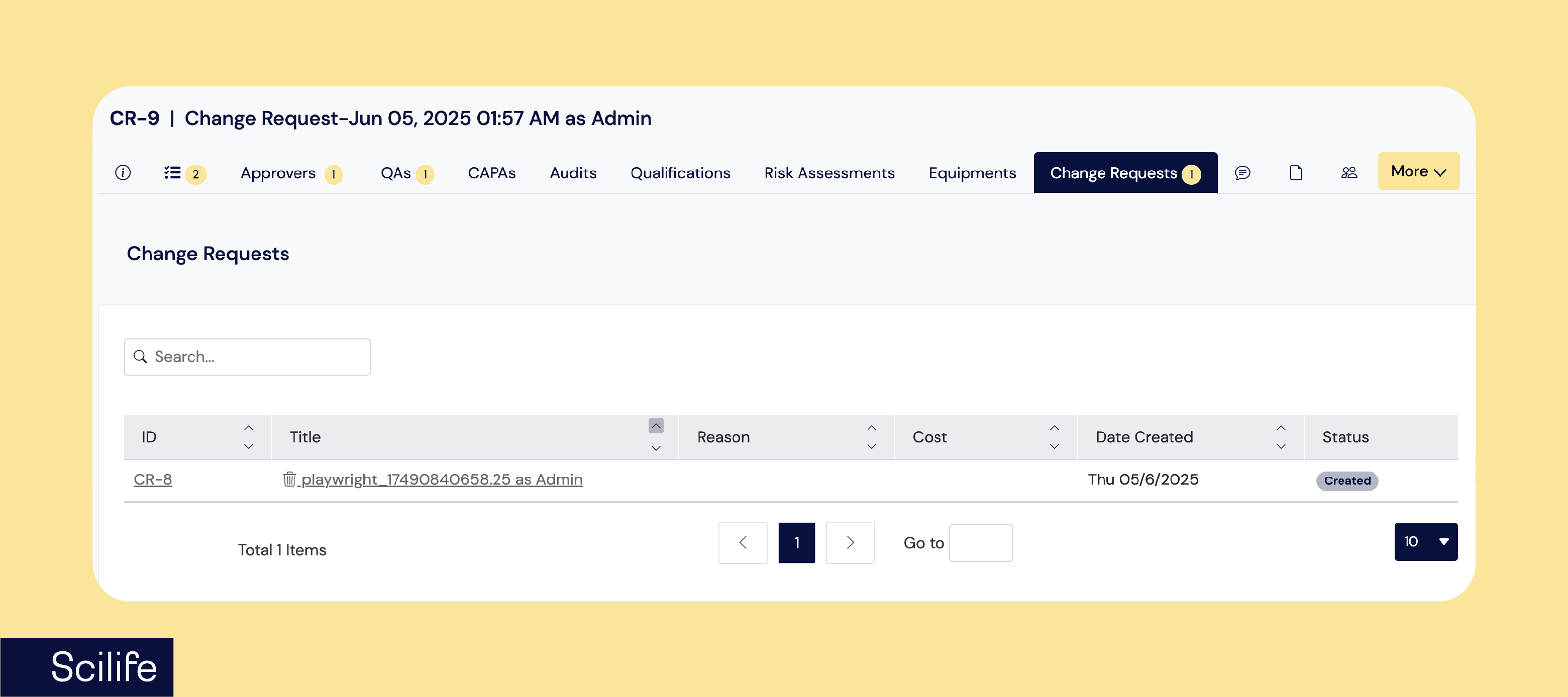
When this option is enabled, users can link one CR to one or more CRs, view all related CRs from a dedicated tab, and more.
These links are designed to be non-intrusive. They do not modify the CR itself, do not create new versions, and do not trigger workflow actions such as approvals.
A simple way to connect related change requests
The new CR-to-CR linking capability gives you better traceability without adding complexity to your workflows.
You can now explicitly link related Change Requests, making it easier to understand dependencies, shared context, and overall impact.
Links are always bi-directional, so connections are visible from both sides. And because they behave as independent references, they don’t interfere with the CR lifecycle:
- No version changes.
- No impact on workflows or approvals.
- No restrictions based on status or group.
Linking Change Requests, directly from the form
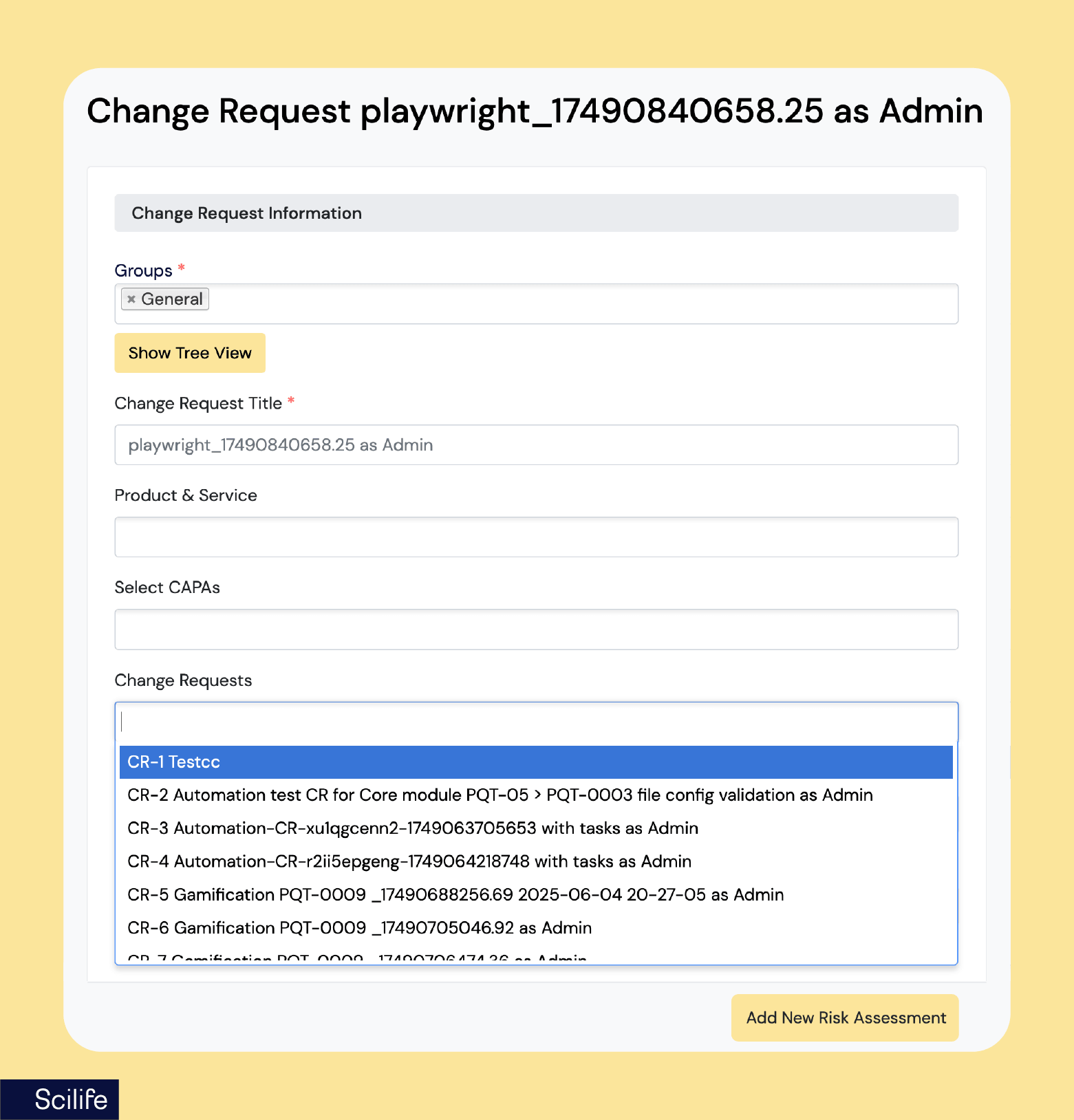
When the "Allow Change Request-to-Change Request Linkage" setting is enabled, a "Link Change Request" selector appears directly in the CR creation and edition forms and becomes visible to any user with Change Request creation or edition permissions.
The list includes every active Change Request in the system, across all groups and statuses. You can select one or more, adjust your choices freely, and once you save, each link is created or removed automatically, with no version increments on either side.
Built for real-world change processes
Links are designed to persist as your processes evolve.
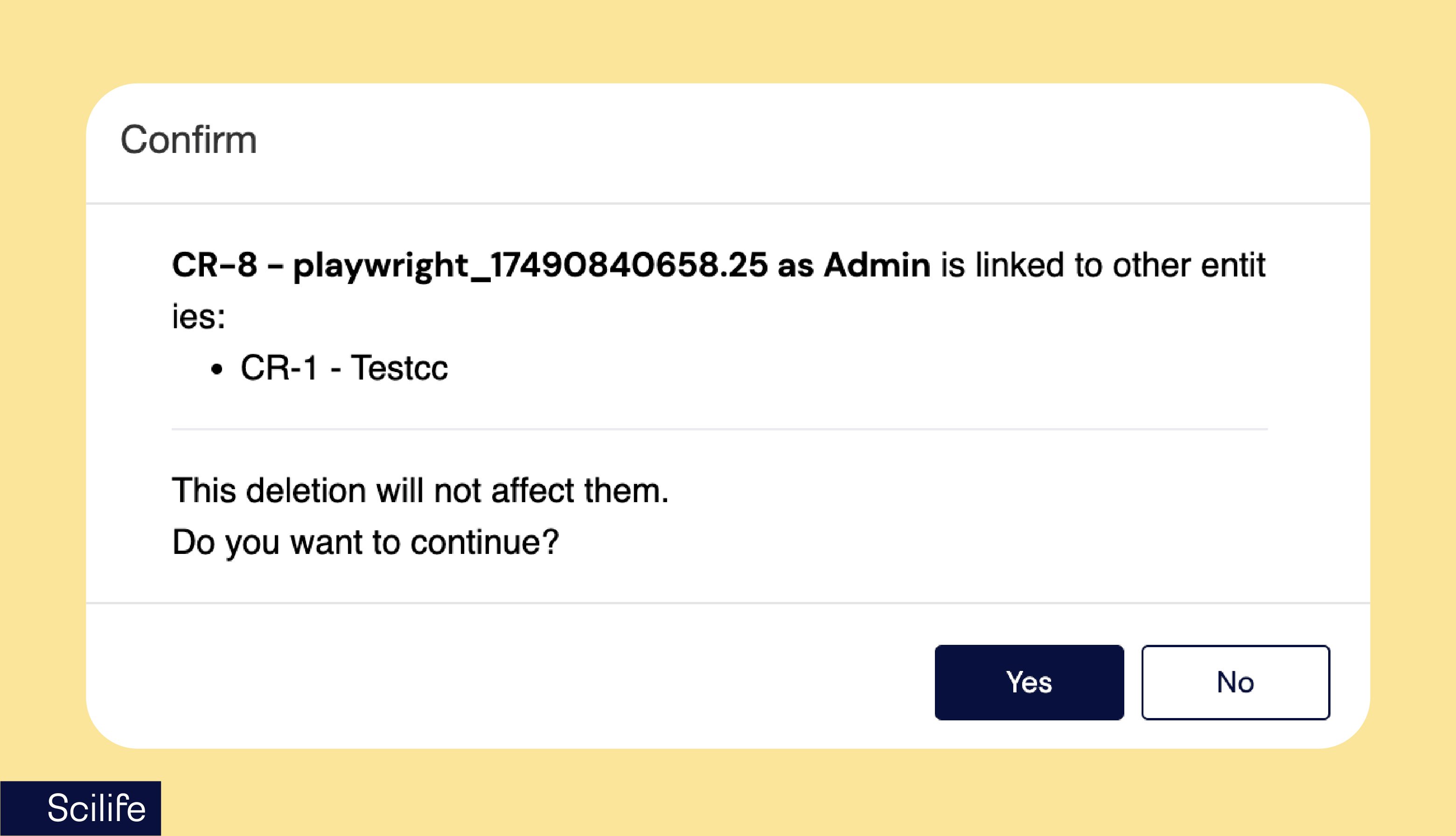
If a linked CR is deleted, the connection remains and the CR is clearly marked as deleted. If it’s restored, the link is automatically active again, and no manual action needed.
Every link and unlink action is also recorded in the audit trail on both sides, including who performed the action and when.
Lightweight by design
Linking adds a powerful layer of traceability, without adding friction.
It doesn’t modify Change Requests, doesn’t trigger workflows, and doesn’t complicate your processes. It just gives you better visibility, exactly where you need it.
Why you’ll love this update
Bringing more structure to complexity
Whether you’re importing design controls from Excel or managing interconnected changes, these updates are all about reducing friction and improving traceability where it matters most.
You can now move faster without sacrificing control, bringing structured, audit-ready data into Design and Development, and gaining clearer visibility across related Change Requests.
Less manual work. Fewer gaps in traceability. More confidence in your processes.