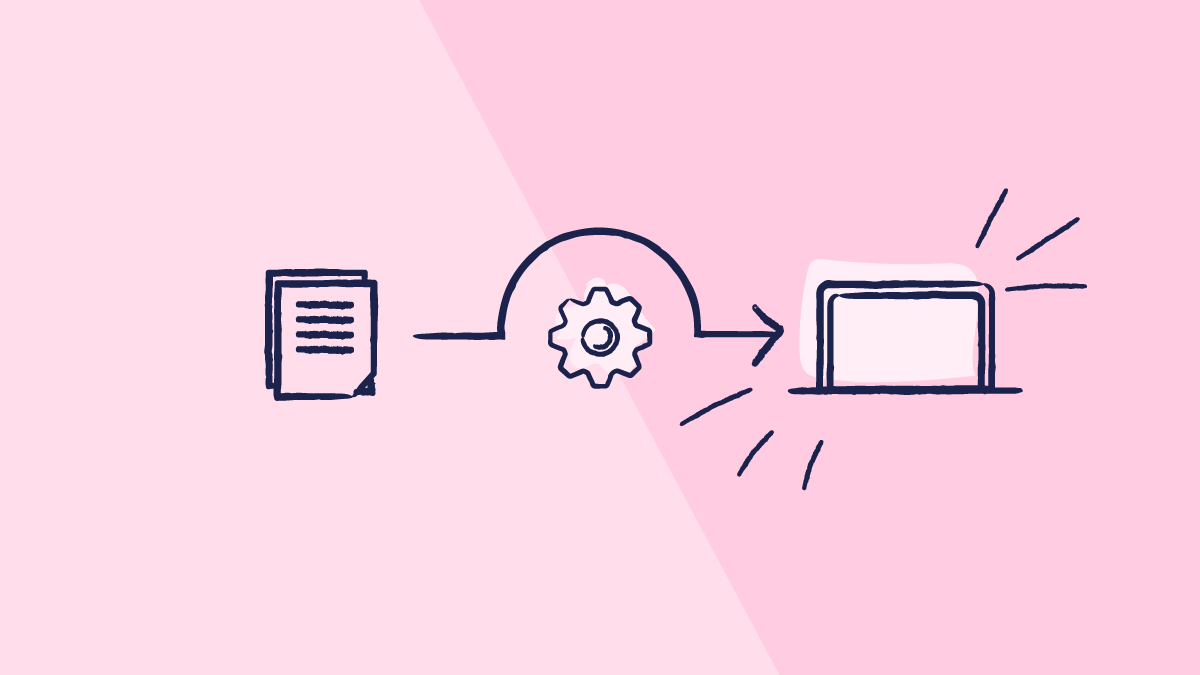

Switching from paper to eQMS creates the perfect opportunity for QA teams to build on what already works and streamline what doesn’t.
The result? A simpler, more scalable process that makes life easier for everyone involved.
In our eQMS webinar series, our experts dive into each and every aspect of transitioning from paper to eQMS. In this article, you’ll get a step-by-step guide to migrate your quality system to an eQMS. Read to find out!
Key differences between manual systems and eQMS platforms
With a paper-based or SharePoint system, documentation remains scattered and manual. Training reminders, CAPA tracking, deviations, and approvals all rely on emails and spreadsheets, making the process slow, error-prone, and resource-heavy.
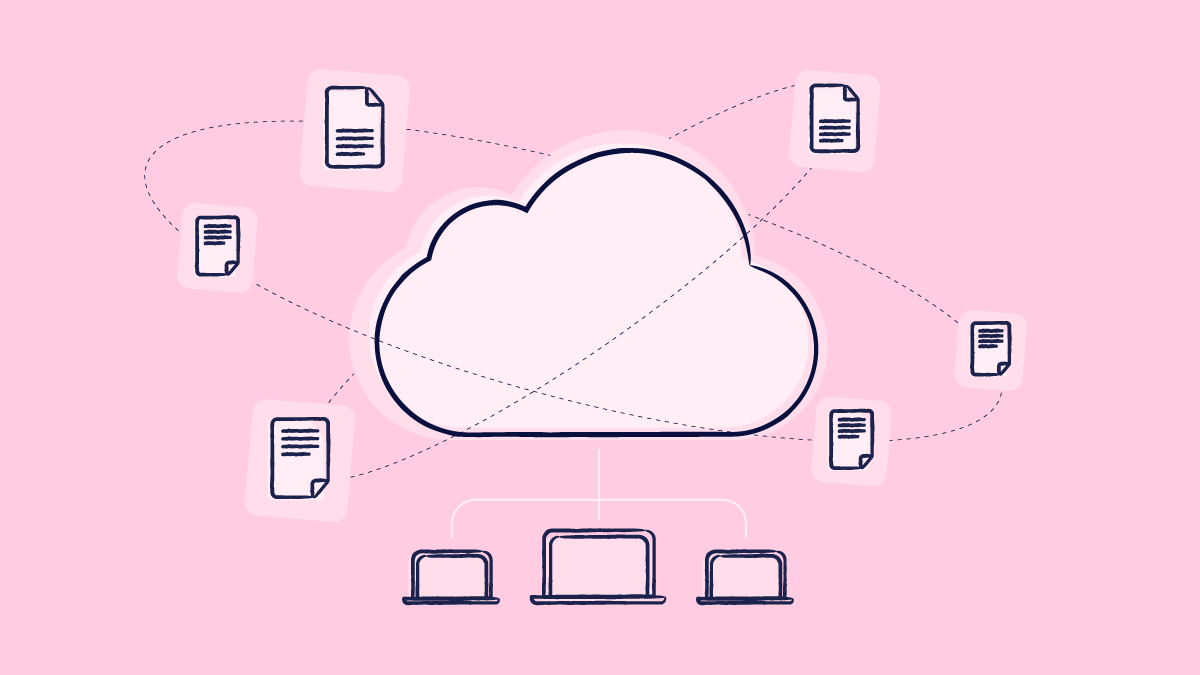
An eQMS, on the other hand, centralizes everything in one purpose-built platform, from SOP storage to training, CAPAs, and change control. Workflows are automated, tasks are tracked, and everyone stays informed.
Key features, such as document control is built in, reducing risks of loss, duplication, or uncontrolled copies. Furthermore, you have a historical view of all of your documents and changes, which makes everything in your quality management system more secure and traceable, and not to mention, you can enjoy simplified data integrity.
Here’s what changes from one to the other:
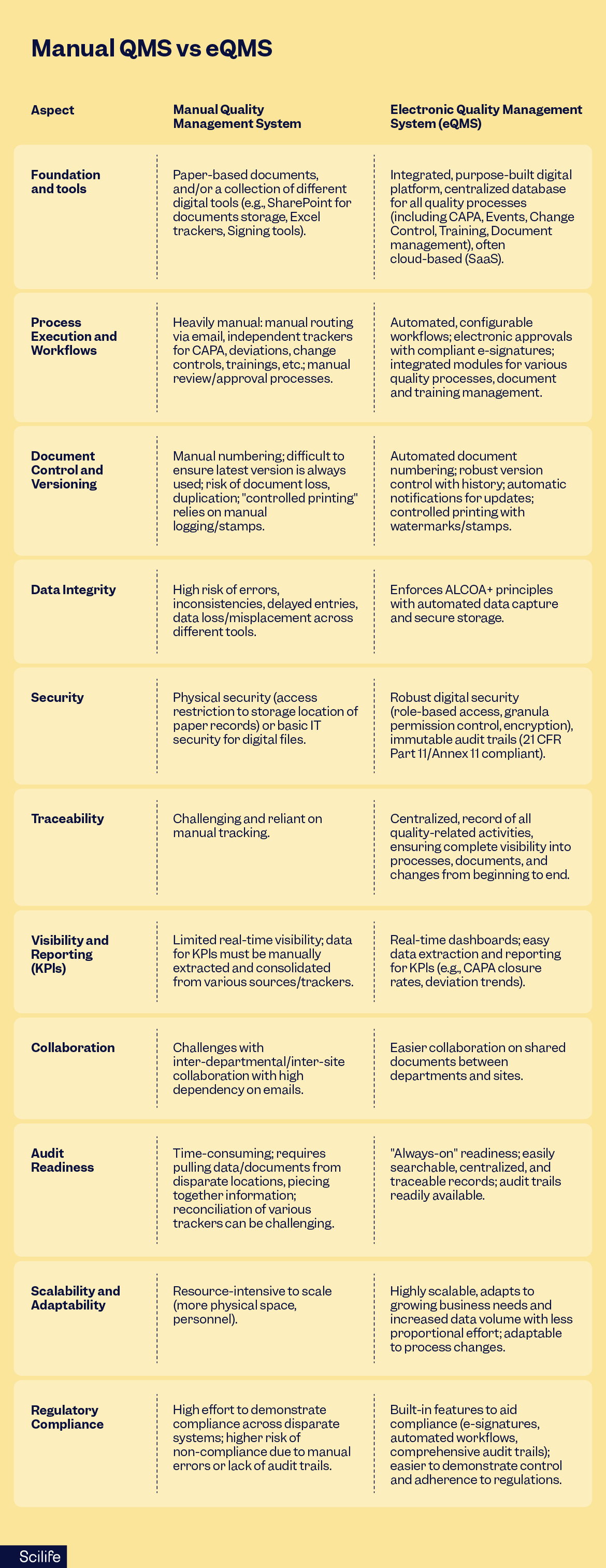
Issues you might experience using a paper or manual stack QMS
- Fragmented storage: Multiple “sources of truth,” outdated copies floating around.
- Heavily manual workflows: Email chasing, unclear ownership, missed reviews.
- Version control is tricky: Stamps, spreadsheets, prints, copies, all floating around.
- Visibility gets all muddy: Reporting requires manual collection and Excel wrangling.
- Audit readiness: “Where’s that signed version?” hunts to make it to the audit.
- Extra infrastructure: Fireproof cabinets, passwords, an archivist role… All leading to overheads.
What gets better on day one by using an eQMS
- Single source of truth with enforced versioning and controlled copies, all according to the ALCOA+ principles.
- Workflow automation for review/approval/publish/retire; automatic reminders and escalations.
- E-signatures bound to records; approvals traceable by who/when/why, making your system always audit-ready thanks to a 21 CFR part 11 approved system.
- Live dashboards for KPIs (cycle time, overdue tasks, training gaps).
- Searchability via metadata (type, owner, effective date, product, site).
- Scale without multiplying doc coordinators.
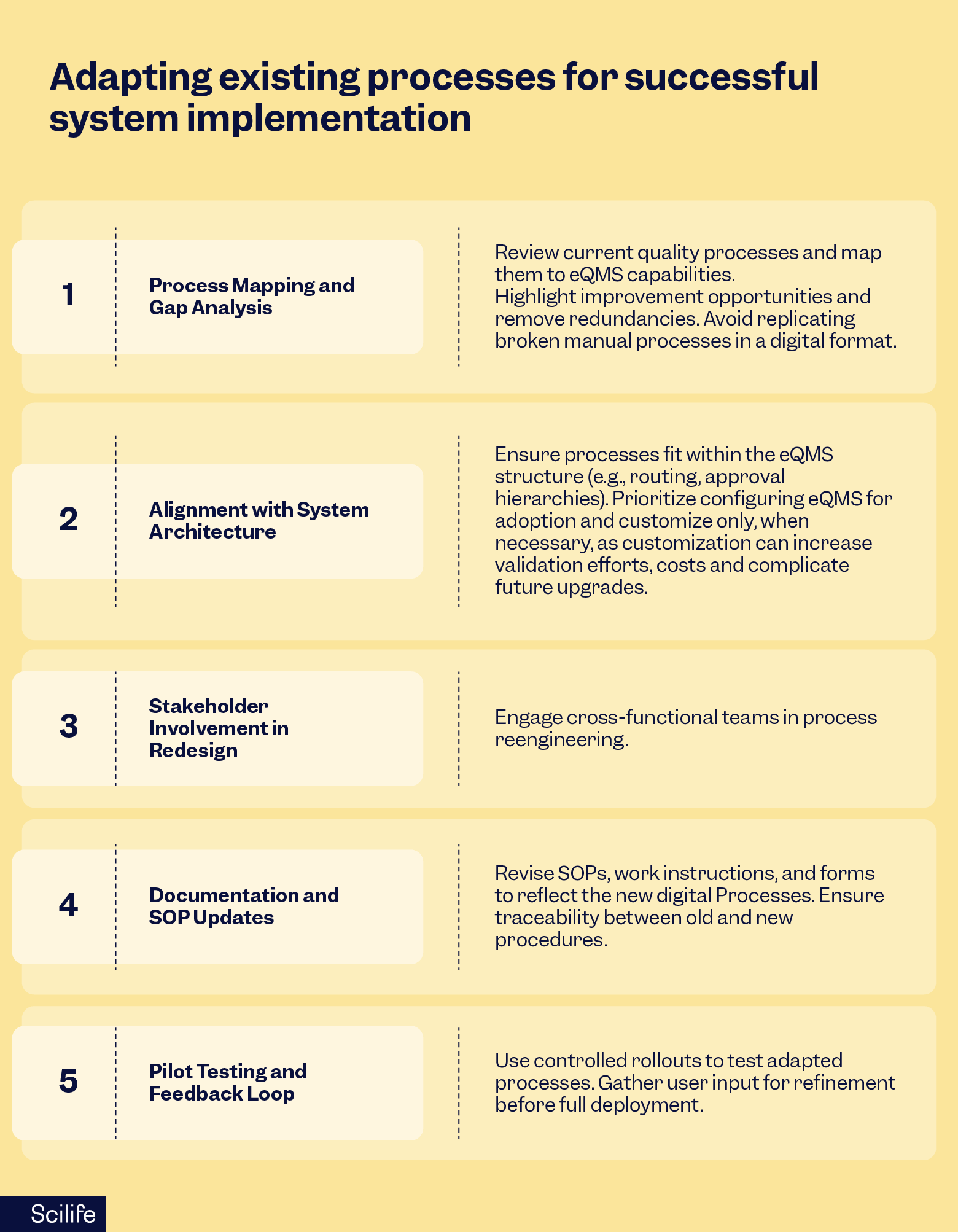
That all said, let’s get into this step-by-step guide on how to migrate your quality system to an eQMS!
Recommended learning:
7 warning signs your QMS is on the brink of failure and how to save it

A guide to migrate my quality system to an eQMS
So, you’ve decided to move your quality system to an eQMS like Scilife. While every vendor has its own implementation approach and support model, this article focuses on the best practices Scilife has developed and refined over the years.
Scilife assists you every step of the way during eQMS implementation, and this includes this guide to migrate your quality system to an eQMS.
While transferring legacy documents into a digital format comes with its own challenges, the most important thing to remember is that you must be systematic in your approach.
That’s why we recommend setting goals and expectations first. For instance:
- Identify 3–5 recurring pain points you want the eQMS to kill first.
- Define success metrics, e.g., average doc cycle time < 10 business days; 95% on-time training; zero effective outdated SOPs in labs.
- Set your “non-negotiables”, e.g., former IDs preserved; read-only access for auditors; monthly KPI pack.
Then you’ll need to identify the documents that are truly worth migrating (That obsolete SOP lying unopened for months? Probably not), classify your documents, set up accessibility, check metadata requirements, map out and configure your new system, then import the documents, reconcile and verify, and train teams on how to use the new system.
Let’s take a look at each step of the process in detail.
Step #1: Inventory and classification
As stated above, you can classify all of your documents based on criteria like department, availability needed, etc. You could manage this step by creating a simple tracker:
- Columns: Current ID, Title, Type (SoP/policy/record), Dept, Owner, Lifecycle (Draft/effective/obsolete), Last Reviewed, Retention Category, Must-Import? (Y/N), Former System Path/Link.
- Decision gates:
- Import approved and in-use docs.
- Import retention-required docs (regulatory/contractual).
- Retire obsolete content (keep as an archive if required).
- Create new process changes that benefit from templates and automation.
Step #2: Define metadata
Metadata gives context and meaning to your documents and results, so it is important to keep it always safe and make use of it. Here’s an example of metadata that could be useful for your new eQMS:
- Core: Information like Document ID, Title, Type, Owner, Department, Status, Effective Date, Next Review Date, Version, Linked Processes/Products.
- Extended (custom fields): Site/Location, Product Code, Risk Level (L/M/H), Regulatory Impact (Y/N), Former Document ID, Change Control Reference.
- Rule: If people search/filter by specific information, make it a field.
“Metadata gives context to your documents and results. So don’t throw your metadata away, Scilife is very clear in helping you out and in keeping complete traceability of metadata.”
Santiago Ibañez, Head of Quality Assurance at Subiton

Step #3: Configure your eQMS
Now, it’s time to configure your new eQMS so that it all aligns with legacy. For consistency, document templates can be uploaded so that docs adhere to a predefined structure and format. This will also help you manage your templates easily.
Here’s an example of how we could logically configure the eQMS:
- Information architecture: Set categories, folders, and tags that mirror how people think, instead of how servers are structured off the shelf.
- Workflows: Author, Reviewer, QA, Approver, Publish; include due dates and escalations.
- Templates: SOP, WI (work instruction), Policy, Report; variables for ID, Title, Version, Effective Date, Owner, Linked Docs, Change Control.
- Groups: Start with Public (core QMS) vs. Private (design/validation/regulatory). You can always expand later, for example, per site (more on that later).
Step #4: Migrate legacy documents into eQMS
This is a key part of this guide to migrate your quality system to an eQMS.
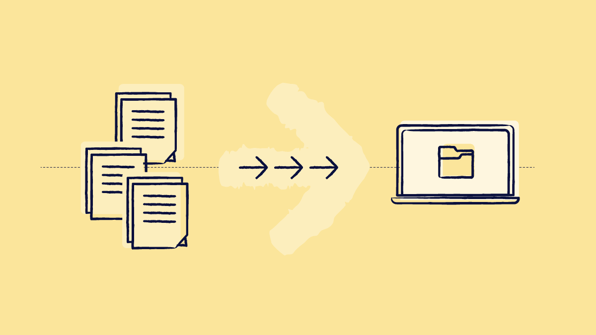
So let’s dive right into how to go about doing your document import! There are two different ways you can import documents into Scilife, depending on the amount of documentation that needs to be imported:
- Manual import: Here, the customer will handle most of the effort. Best for small volumes (up to ca. 200 documents). Through the user interface, you simply click ‘Import’, fill in the document metadata, and click Save. It’s quick, practical, and requires no support from us, meaning full autonomy.
- Assisted: As the number of documents increases, we recommend using the assisted method. Instead of entering data one by one, you complete a structured Excel template. We validate and process this to minimize errors and speed up the import. This method is optimized for bulk uploads of 2000–10000+ documents.
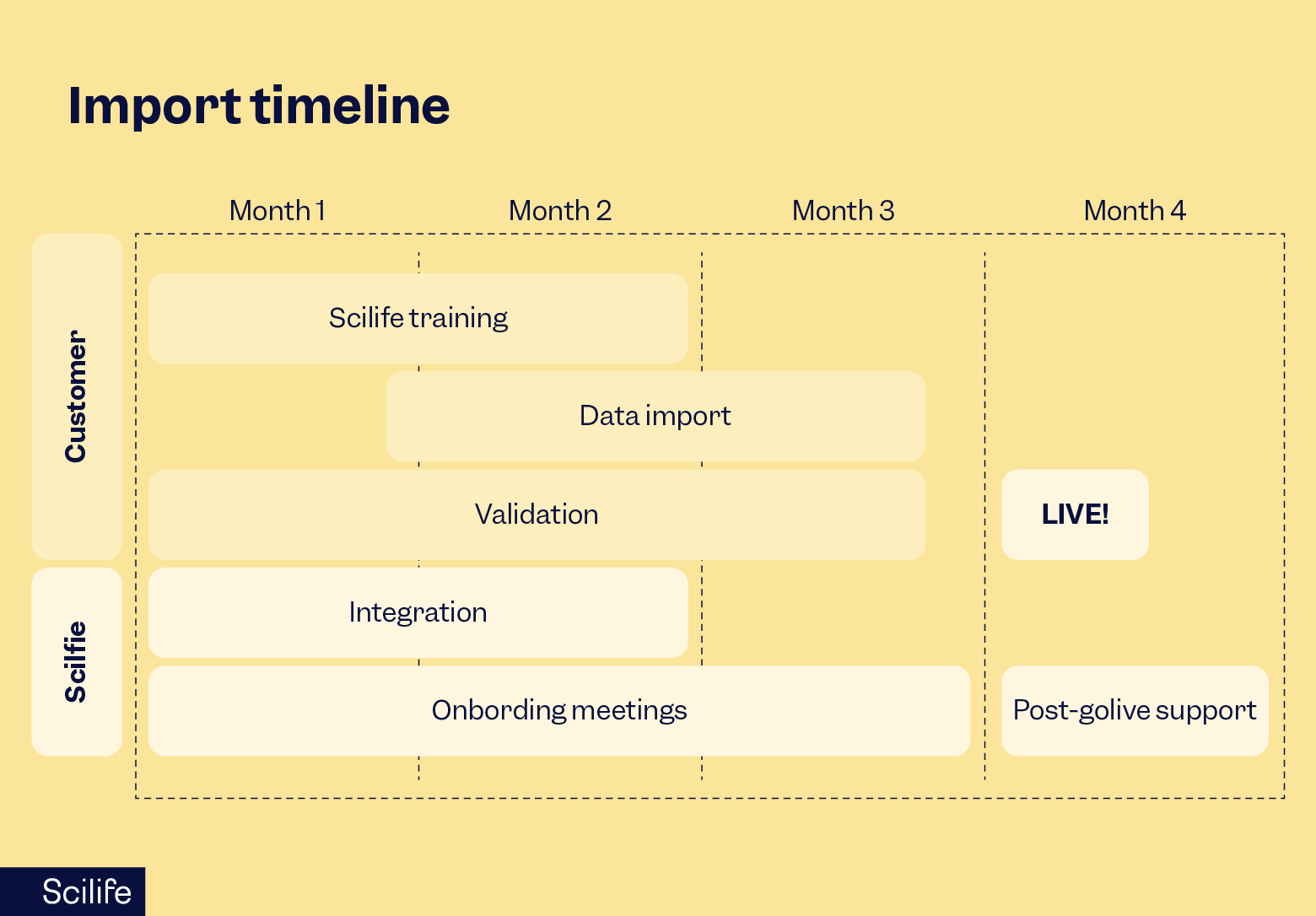
To go about importing all of your documents, we use the PIV framework (preparation, import, validation):
Preparation
- Train up with Scilife Academy (Core course + Document Control).
- Try before you fly in a test environment, like a “flight simulator”.
- Get materials ready:
- Manual: Simply organize your files.
- Assisted: Fill the Excel template (we give you a 16-page guide + a 45-minute video), and share a .zip with us.
Import
- Dry runs (assisted only): Like a “dress rehearsal.” We process your materials end-to-end without touching production, return a report, you tweak, and we repeat. Most teams nail it in ca. 3 iterations.
- Final import: After sign-off, the production import typically takes 3–5 days, depending on volume and data cleanliness.
Validation
- We validate; you validate: Many teams use a statistical sampling approach (e.g., review ca. 278 of 1000 docs. We ask you to hold off on making changes in production until validation is complete. Fixes are much faster that way.
- Proof of import: You’ll receive an import evidence document signed by our QA manager for your records.
Step #5: Review and reconcile
As stated by the PIV method above, after we assist you with your upload, we will run the scripts to import everything you require and start a review cycle of the uploaded documents so that we are sure that we are still accurate and complete.
ALCOA+ is integrated into Scilife’s eQMS. So here we verify that your documents are unaltered. And at that point, we also confirm metadata, version history, document approvals, etc, to make sure we applied everything correctly.
- Spot-check metadata correctness, version history, approvals present, and links resolve.
- Confirm controlled copy rules (print watermarks, download permissions).
After all is reviewed and approved, it is time to train your teams.
Step #6: Training and onboarding
It is now time to train the team on how to use their new system, and how it will affect their new daily workflows, new roles and responsibilities per user group, etc. There will, of course, be a structured training program.
Now, let’s have a more in-depth look at the key aspects of using your new eQMS effectively below.
Recommended learning:
The advantages of a cloud-based eQMS over paper-based QMS systems you need to know.
Document structure, e-signatures, and audit trails
Metadata, signatures, and audit trails simplify daily work.
Metadata auto-populates templates, reducing human error. Control copies are tracked digitally, without stamps or manual logs. Audit trails apply system-wide, giving QA teams traceability across all processes:
Document structure and metadata
Document structure in an eQMS starts with metadata. Although metadata can seem overwhelming, it is simply the information captured along the way:
- Document IDs
- Effective dates
- Training dates
- Owners
- Tags, etc.
Using it in templates and folder structures makes documents searchable, traceable, and easier to manage.
Legacy IDs can be preserved, mapping them into a dedicated field so compliance continuity is never lost, or even creating custom ones to capture additional details like product codes, departments, or regulatory categories.
E-signatures
E-signatures in Scilife are fully compliant with 21 CFR Part 11 and Annex 11. Each signature is unique to the user, requires re-authentication at signing, and is permanently bound to the document.
Once signed, records cannot be altered without triggering re-signing, ensuring authenticity and integrity while meeting strict regulatory requirements.
Audit trails
Audit trails provide full visibility, tracking who did what, when, and to which document or record, whether it’s a CAPA, a change control, or a training item. Logs capture everything from edits and approvals to print and download actions.
Trails are immutable, always active, human-readable, and exportable for audits, making it easy to prove compliance and investigate issues.
Setting user roles and access control
User roles and access control are critical for protecting content in an eQMS, ensuring only people with a justified need can view or edit documents.
Scilife applies role-based access control, ensuring rights are based on job responsibilities. Roles can be assigned at different levels:
- Modules
- Document types
- Events
- Entities
Users inherit permissions from their roles, and some may hold more than one role if they work across departments. For example, someone in both Chemistry and Microbiology can be part of both groups.
Workflow-specific roles, such as author, reviewer, or approver, are also clearly defined to maintain accountability.
Scilife supports two main user types:
- Full users can create, edit, and participate in workflows.
- Read-only users can view content and complete training.
Full users can be administrators, managers, or regular users, with additional permissions like QA authority or training coordinator assigned as needed. Managers also get visibility into their team’s outstanding tasks, ensuring nothing slips through the cracks.
You can also set groups. Users can only interact with documents belonging to the group they’re a part of.
Content can be set up as public (core QMS documents, visible to all) or private (sensitive design, validation, or regulatory documents). This structure keeps information secure while giving teams the right level of access to do their work efficiently.
Archiving and retention policies
Archiving and retention policies are a big chapter in the GAMP guidelines, and have their own appendix. Archiving is a process of moving records and data from the computerized system to a different location or system, often protecting them against further changes.
Archived records should be readily retrievable for business or regulatory purposes.
Use of cloud storage solutions for archived records is acceptable, and archiving and retrieval should not be confused with backup and restore, as this is really a separate process.
Your new eQMS can be configured to retain archived data for a mandated period in alignment with regulatory and business continuity requirements. Archived data, along with its metadata, is protected against unauthorized changes throughout retention periods.
Archived documents remain searchable and accessible to authorized users. And the eQMS differentiates between active, archived, and obsolete documents.
Preparing your team for training and change management
A successful eQMS rollout starts with team engagement, so we need to get people involved:
Leadership roles, key users, subject matter experts, IT teams, and end users who will be using the system every day. They all need proper training on the new system and change support.
Training
As mentioned above, when acquiring Scilife as your new eQMS, you will also gain access to structured training, which will include:
- Role-based sessions, e.g., read-only vs. full users.
- Step-by-step guides with videos, screenshots, and other resources.
- Real case demos, e.g., how to author a doc, route it, approve it, and train on it.
- There will also be micro-demo videos (2–3 min) embedded in your internal SOPs.
QA should be trained first, followed by other teams. Our onboarding managers will be there to answer any questions you may have, catch red flags, and guide big business decisions.
You will also have access to the Scilife Academy to acquire more certification courses by role and module, backed by knowledge-based articles, templates, and live sessions.
Change management
Change management is about communication and support. Teams need to know how daily workflows will change, what new responsibilities they’ll have, and where to turn for help. Open feedback loops, interactive walkthroughs in test environments, and responsive support channels make the transition smoother.
Subiton legacy to eQMS migration case study
During our eQMS series webinar on migrating documents to your eQMS, we had the pleasure of welcoming Santiago Ibañez, Head of Quality Assurance at Subiton, who had migrated their QMS from paper to Scilife to improve their documentation and change control processes.
They also needed a more efficient way to manage regulatory pressure, like MDR or the FDA. Here’s an overview of how their migration plan went:
- They needed to move ca. 1500 documents in 2 months with low resources (Currently they have ca. 2500 documents in the system, 1000 more since import).
- They also needed to adapt existing processes (Especially document control and change control) to the capabilities of the eQMS.
- Initially, they were a bit concerned about added bureaucracy; however, in practice, they saw greater engagement and better document updates.
How they rewired their documentation system
To start the transition, they came up with a new document coding system:
- 2 letters for the document type
- 2 letters for the responsible sector
- They created IDs for design, validation, and regulatory documents
For legacy traceability, they kept former document IDs in the system so users can search by new or old ID. They also enabled admin roles to import missing docs and delete or replace when needed.
For templates and formatting, they did the following:
- They created templates for core QMS docs with locked sections to prevent unauthorized edits.
- They approached the import in phases, importing legacy docs as they were, then applied new templates when documents were updated.
- Later on, they created more complex templates for design, validation, and regulatory docs.
They initially disabled periodic reviews to avoid reviewing 100% overnight and later enabled them gradually as documents changed. This feature is now key for keeping documents current.
Metadata, custom fields, control copies and audit trails
To manage their metadata, they created fields for product types, product codes, and company areas. They used parent–child links to relate forms with parent documents or processes to boost searchability and auto-populate templates.
- They moved away from stamps and manual logs, leaving the system to manage copies end-to-end.
- They enabled audit trails across documents, CAPA, change control, etc., to gain visibility over who printed, downloaded, or changed and investigate history.
Roles, groups, and access model
To manage access controls, they split users into two categories: read-only and full users.
- When it comes to document visibility, they classified docs as public (e.g., core QMS) vs private (e.g., design/regulatory/validation).
- They created two main groups: Public and private, and assigned items and users accordingly.
Training rollout & adoption
Santiago’s team trained first with the onboarding project manager, using the Scilife Knowledge Base and Scilife Academy to build deep system understanding. Then, they ran company-wide trainings and trained ca. 70 people over 2 weeks.
- They had separate training paths for read-only vs full users.
- They also included platform demonstrations and tests to document compliance.
- Ongoing trainings and support continued to run to drive adoption and proper use.
Final thoughts: a step-by-step guide to migrate my quality system to an eQMS
Switching from a paper to eQMS comes with numerous advantages: enhanced efficiency, traceability, cost savings, and bullet-proof compliance.
However, the transition process requires thorough planning and implementation. When you opt for using Scilife’s eQMS, we are there to assist you every step of the way, ensuring that your setup is robust and compliance-ready, and your team has access to all of the necessary resources and training to reap the benefits of their brand-new electronic quality system.
Discover how Scilife’s eQMS procures an easy transition from paper to eQMS!