“If I were to create an eQMS, it would be very similar to Scilife! It feels very natural to use, and you can feel that it’s built by people who have knowledge of QA. You can see it everywhere in the system.”









Life sciences industry focus
Purpose-built for pharma, biotech, medTech
Generic document management platform not designed for regulated life sciences
Core QMS functionalities
Full suite: Document Control, Training, CAPA, Change Control, Risk, Audits, Supplier, Equipment, KPIs, Design & Development and more
Lacks dedicated QMS modules. Custom workflows and manual configuration are required for quality processes
Regulatory compliance
FDA 21 CFR Part 11 & 820, EU Annex 11, ISO 13485, 21 CFR Part 210/21, ISO 9001, GAMP 5, MDR/IVDR, GMP, GDP, GCP, GvP
Not inherently 21 CFR Part 11 or Annex 11 compliant. It requires manual configuration and third-party integrations to meet regulatory standards
User experience
Modern, intuitive, minimal learning curve that ensures seamless adoption from Product, R&D, to Quality teams
While SharePoint is a user-friendly document management solution, it can be difficult to use and complex to configure as a QMS
Scalability and fit
Flexible for SMEs and scale-ups, licensing adapts as company grows with tiered plans. Ideal for large organizations that want to keep their processes streamlined and simple
Scalable in storage, but QMS functionality doesn’t scale well without heavy customization or third-party tools
Validation ease
Out-of-the-box GAMP 5 package, re-validation after updates, three environments (test/validation/production)
Requires manual validation, resulting in high IT effort and additional costs for external consultants if your team does not have in-house expertise
Integration capabilities
Integrations possible with Microsoft Office, API, Azure AD/Entra ID, Power BI, Tableau, Okta, and more
Native Microsoft integrations (Teams, Office, Outlook). Lacks direct API access for QMS workflows and traceability reporting. Additional integrations require custom development
Platform security
Secure virtual private cloud (AWS) with EU/US data residency, strong encryption, and hassle-free managed updates
Secure Microsoft infrastructure. However, compliance controls must be configured manually for audit trails, signature management, etc,
Onboarding and implementation ease
Fast implementation with an onboarding manager and customer success experts
Implementation is entirely manual. It requires internal SharePoint admins and possibly third-party consultants to build QMS workflows
Level of customer support
Dedicated customer success managers, 1:1 technical support, and internal chat
No QMS-specific support. Relies on IT or external Microsoft consultants for workflow maintenance
Quality community and learning
Rich ecosystem with training videos, knowledge base, monthly webinars, and Scilife Academy with courses and certifications, all for free
No QMS learning resources or validation guidance. General Microsoft documentation only
Clear pricing model
Transparent tiered plans (Essential, Core, Core+) that adapt as you grow - robust enough for SMEs, scale-ups, and larger organizations
Microsoft licensing is separate. Custom development and validation costs can add up rapidly
Return on investment
Faster ROI with lower upfront costs, free plan, and quick onboarding
Low cost to use SharePoint, but ROI for a QMS can be slow due to manual validation, ongoing maintenance, and additional development costs
Free trial
Yes! Includes:
Yes, you can get a 30-day free trial for SharePoint.
SharePoint is often included with paid Microsoft 365 subscriptions

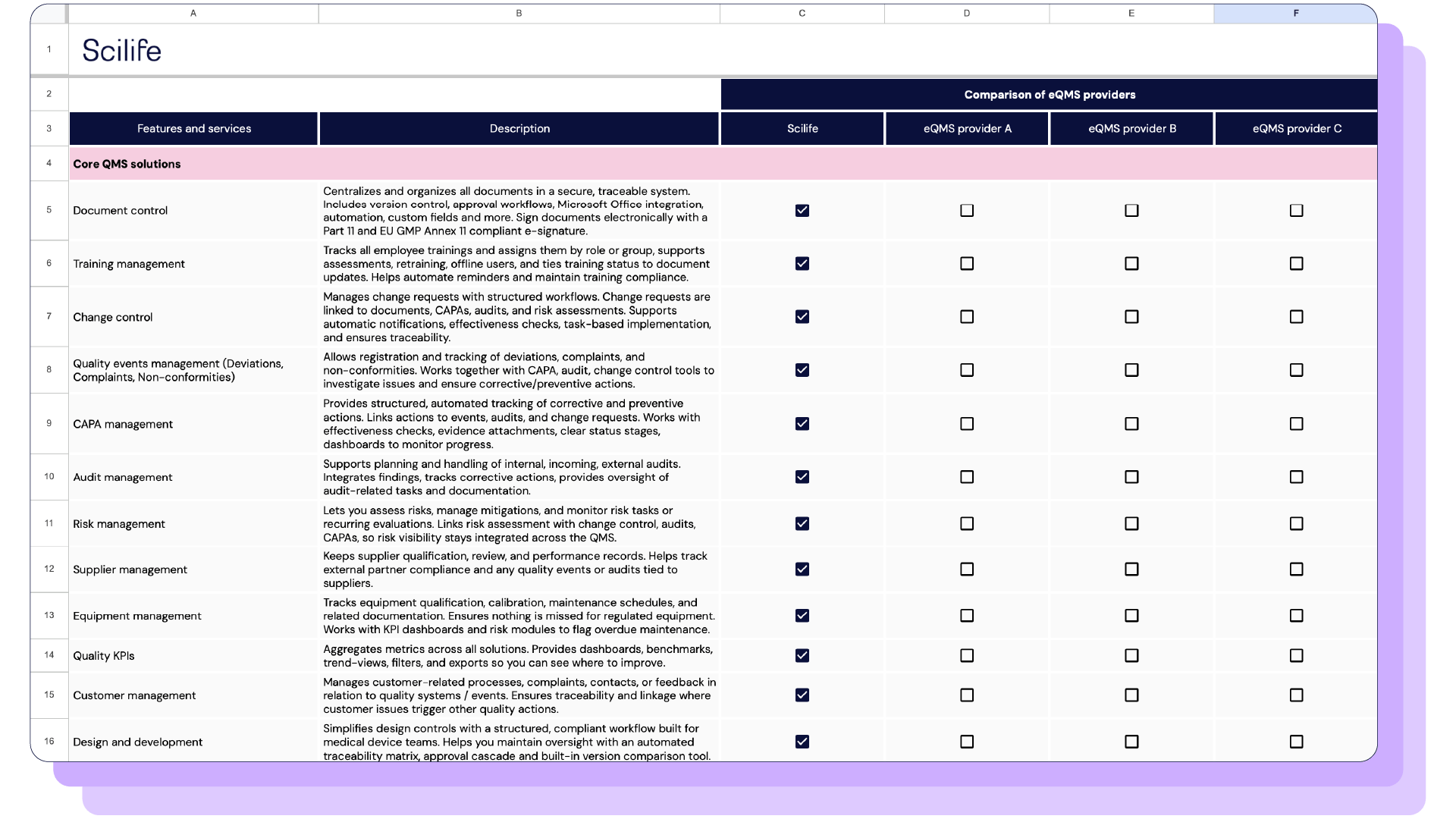
Scilife provides a complete QMS ecosystem with integrated modules for Document Control, CAPA, Change Control, Risk, and more. Each workflow is pre-aligned with GAMP 5 and ISO 9001 best practices, ensuring that quality processes are consistent, traceable, and inspection-ready.

Scilife is built specifically for life sciences organizations that need GxP compliance. Every module comes GAMP 5 pre-validated and includes full documentation, audit trails, and 21 CFR Part 11–compliant electronic signatures. No need for manual setup or extra validation work.



“If I were to create an eQMS, it would be very similar to Scilife! It feels very natural to use, and you can feel that it’s built by people who have knowledge of QA. You can see it everywhere in the system.”
Company Size
Industry


“Scilife has made our lives easier in so many ways. One of the things I like most is how it integrates different processes. It gives a bigger picture of everything and allows us to keep track of deviations and see opportunities for improvement.”
Company Size
Industry


“Doing an audit with Scilife at your fingertips was amazing! Being able to pull up documents at a moment's notice and show them on the screen, showing batch records and training records, and how they are all linked. I think the auditors were just blown away at how easily we could navigate everything.”
Company Size
Industry




EMEA Office
Kantersteen 47
1000 Brussels
Belgium
US Office
Scilife Inc.
228 E 45th St. RM 9E
New York, NY 10017